5. Smart Quizzing & Assessment in Storyline 360
Quizzes aren’t just tests of what student’s have learned. They can be a learning tool to reinforce important concepts and principles, or a way to gather learner preferences and course feedback.
Let’s explore Storylines powerful assessment tools.
Question Types
Storyline comes pre-loaded with many different question types including:
In Articulate Storyline 360, the three main types of questions are:
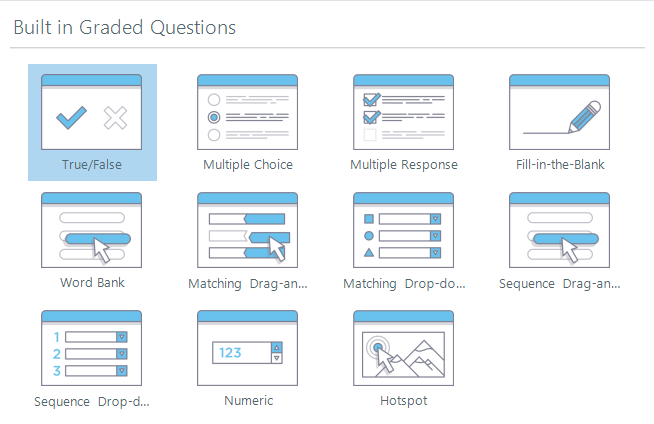
1. Graded Questions
These are questions that are scored based on correctness
They can be used in quizzes, assessments, and knowledge checks
Common types include Multiple Choice, True/False, Fill in the Blank, Matching, and Drag-and-Drop
You can set scoring, feedback, and branching based on the learner's response
2. Freeform Questions
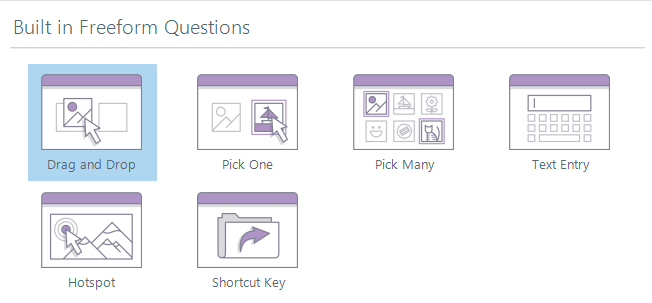
These are customizable, non-standard question types that you create by converting regular slide content
They allow for more interactive and visually engaging question designs
Examples include Pick One, Pick Many, Drag-and-Drop, Hotspot, and Text Entry
Freeform questions can be graded or ungraded, depending on your needs
3. Survey Questions
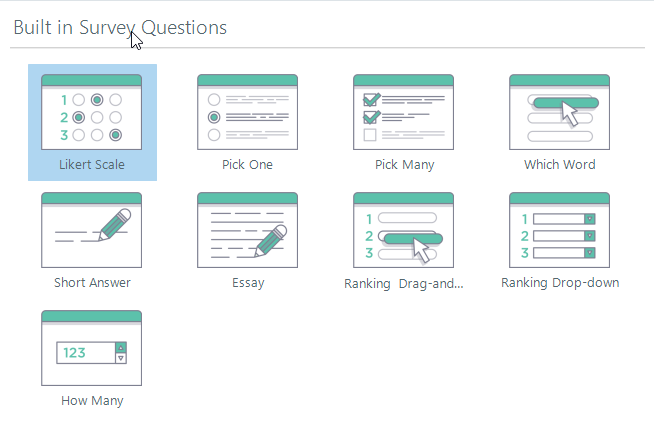
These are non-graded questions used to gather information or opinions from learners
Common types are Likert Scale, Short Answer, and Multiple Choice (ungraded)
Ideal for course feedback, gathering learner preferences, or pre/post-training surveys
Responses can be sent to an LMS for reporting and analysis
Custom Feedback
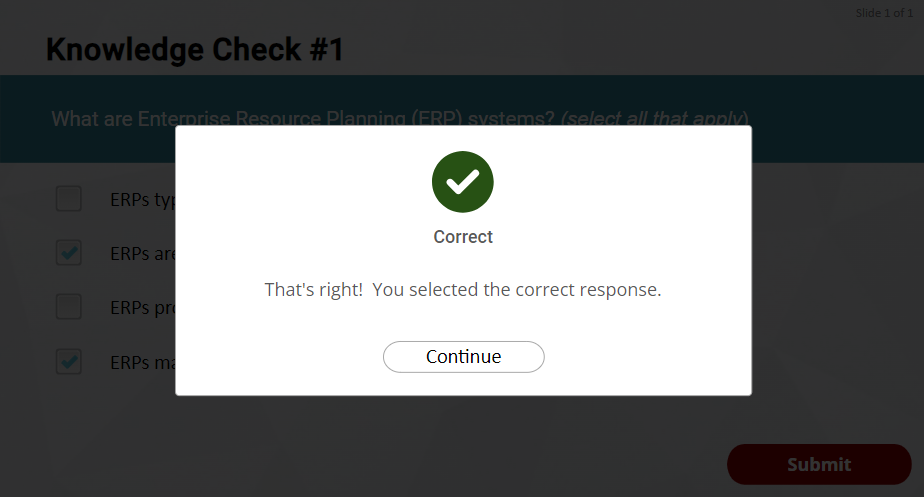
You can customize the feedback a learner sees when answering a question. There are built in feedback layers for graded questions letting a student know if they were correct, or incorrect. If you give your learners more than one chance to answer a question there is also an “try again” layer. These built in layers will also allow you to provide some feedback to the user, providing more information or context for the correct and incorrect answers. You can modify this layer, or even create your own custom feedback layer, in order to provide as much feedback as you wish in a variety of ways (maybe your feedback will come in the form of a video for example.)
Question Banks
In question banks are tools that allow you to organize and manage a collection of quiz questions. They enable you to easily create randomized quizzes, ensuring that learners receive different questions each time they take the assessment, enhancing both engagement and assessment integrity.
You can create multiple question banks within a single project, group questions by topic or difficulty, and even draw a specific number of questions from the bank for each attempt. This flexibility not only optimizes the learning experience but also prevents memorization, making each quiz attempt a fresh challenge.
Scoring and Reporting
Scoring and reporting for quiz questions are handled with customization options that allow you to track learner performance and capture detailed results. Each graded question can be assigned specific point values, and Storyline automatically calculates the total score based on correct responses. You can also set passing thresholds, provide immediate feedback, and configure result slides to display scores and pass/fail status.
For reporting, Storyline seamlessly communicates with your Learning Management Systems (LMS) using SCORM, AICC, xAPI (Tin Can), or cmi5 standards, capturing key data such as completion status, individual question responses, and final scores. This data helps instructors analyze learner progress and pinpoint areas for improvement.
Summary
By now you should be able to :
Build quizzes
Deliver tailored feedback
Randomize questions
Track scores and completion