7. Publishing Your Course the Right Way
You built it, now it’s time to publish it. But building the course is only half the battle. Now you must publish it so that it can be seamlessly delivered to your learners. Let’s unpack how Storyline 360 publishes your course for distribution.
Publishing Formats
You need to pick the correct publishing format based on how your course will be used or be served to your learners. Here is a handy guide:
Courses going on an LMS:
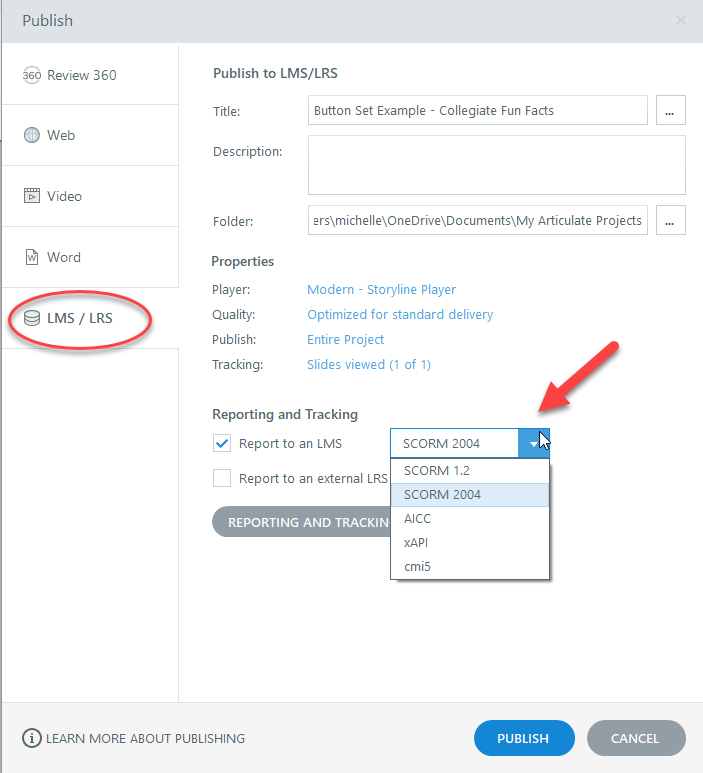
SCORM 1.2 / 2004: If your course is going to be placed on a learning management system this is a solid choice. Although it is not the newest publishing option, it is still widely used in the industry and provides the basics that allow your LMS to track learner progress through the course, and performance on assessments and quizes.
xAPI (Tin Can): This provides more robust tracking than SCORM an allows for offline learning. The ability to track and report more data about user interaction and performance in the course allows developers to better refine future course offerings and learning organizations to better illustrate the impact of learning offerings (and justify further expenditures!)
AICC: Not often used. Mostly for those still working on legacy LMS systems.
Other ways to serve up a course:
Web: If you will not be hosting your course in an LMS, but online (via your own website, or a service like Amazon AWS) you will want to publish for the web. This gives you all the files and assets needed for your learners to access the course online.
Video: Courses can be published as video. This is an option if you have a simple course with no interactive elements (for example, nothing a user needs to click on to reveal further content.) If you want to post an existing course to video, you will need to strip out interactions, and make sure that your course slides advanced automatically.
Word: You can publish your course as a word document, which may come in handy for reviewing a course before it goes live, or if you want to create a companion document for your course. Your slides will export as images and will not be editable from the Word document, however, you can add text to further expand upon ideas in the slide.
Previewing Your Course
Use Storyline's Preview Mode to spot errors before your learners do, or publish your course to Review360, Articulates online review site which allows you to collaborate with other stakeholders on a course, From Review360 and can request someone review the course, they can leave feedback on a slide by slide basis, and you can indicate when a correction or change has been made. This is a really valuable tool if you are working on a course with others. I prefer it to Preview Mode which I think is more valuable for testing how an individual slide is coming along while I am actively producing a course. I rarely, if ever, use Preview Mode to review an entire course or course module.
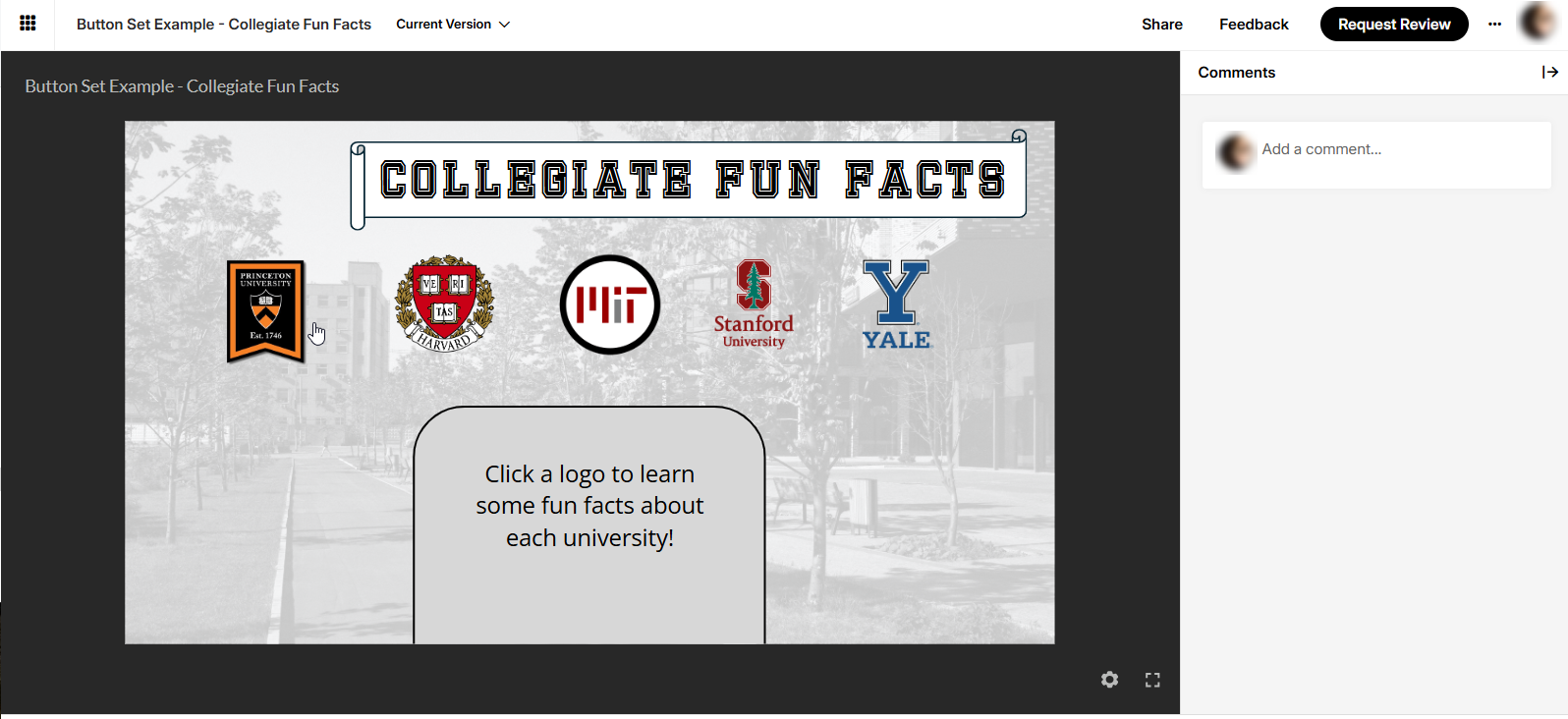
A course in Review360
Publish Settings
Before clicking Publish there are several things you should check:
Verify all your content is accurate and displaying as expected
Double check your navigation and interactive elements to ensure they are working properly
Review all media and animations to confirm their quality and playback
Check that you have an accessible design and have alt text and closed captions when needed
Review player settings and verify that you have the correct player, menu, and other resources
Make sure you have chosen the optimal publishing option (SCORM, Web, etc.)
What’s Next?
Since publishing for an LMS is a very common type of publishing, I have outlined the steps here. This is a very basic, list.
1️⃣ Choose LMS
2️⃣ Select SCORM, xAPI, or AICC
3️⃣ Define passing score, completion criteria if you have graded quizzing in your course
4️⃣ Export to a ZIP file
5️⃣ Upload to your LMS
To learn more about publishing your e-learning content you should visit: https://www.articulatesupport.com/article/Storyline-360-Publishing-and-Sharing-Content
Summary
You should know be able to:
Choose the best publish format
Customize your publish settings
Preview your course like a pro
Understand the steps to publish to an LMS